1. Prepare your portrait
Choose a photo you have permission to edit. Keep your face and hairline visible, remove hats, and avoid heavy shadows. For Nano Banana Pro, the reference upload limit is 8 MB.
An AI hairstyle changer previews a haircut or hair color by editing your portrait from a text instruction. Use Nano Banana Pro in the existing image generator: a photo edit costs 40 credits at 1K. Upload your own photo, describe the hair you want, and ask to keep your face and background unchanged. This guide provides prompts; it does not automatically edit a photo or guarantee an exact likeness.
Upload only photos you have the right to edit, with consent from anyone pictured. This is an independent website, not affiliated with or endorsed by Google. A generated preview does not guarantee how a real haircut will look.
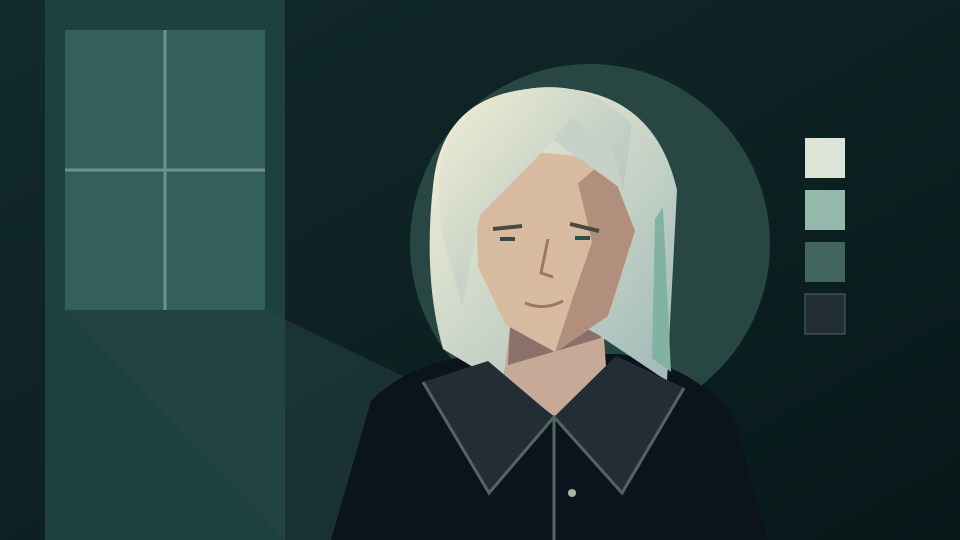
Use a clear portrait with visible hair and even lighting. Name the cut, length, texture and color you want; say which parts of the original should stay the same.
Choose a photo you have permission to edit. Keep your face and hairline visible, remove hats, and avoid heavy shadows. For Nano Banana Pro, the reference upload limit is 8 MB.
Open the generator, select Nano Banana Pro, upload your portrait, then paste a prompt from below. The link does not select a model or prefill a prompt. Ask for a hairstyle change while preserving your face, pose, clothing and background.
Sign in, check your balance and the displayed quote, then generate when ready. A Nano Banana Pro photo edit costs 40 credits at 1K or 60 credits at 4K. Inspect your face, hairline, ears and glasses before downloading; submitting another attempt starts a new request.
Select and copy a prompt into the existing image tool. These are instructions to try, not tested output examples or promises that every detail will remain identical.
Edit my authorized portrait. Change only the hairstyle to a chin-length bob with a soft side part and natural ends. Keep my current hair color, facial features, expression, skin tone, pose, clothing, lighting and background as closely as possible. Keep the hairline realistic and do not retouch my face.
Use my uploaded portrait as the reference. Add soft curtain bangs that part in the middle and blend into the existing hair length. Keep the original hair color and texture. Preserve my face, eyebrows, eyes, expression, clothing, lighting and background; do not change my age or facial proportions.
Edit only the hair in my authorized portrait into shoulder-length loose curls with natural volume. Preserve my original hair color and a believable hairline. Keep my face, expression, pose, clothing and background as close to the original as possible. Avoid covering my eyes or altering my glasses.
Change only my hair color to warm chestnut brown with subtle natural highlights. Keep the existing haircut, length, texture and hairline. Preserve my facial features, skin tone, eyebrows, clothing, lighting and background. Do not apply a beauty filter or change my expression.
A generated image can help you describe a hairstyle to a stylist. It cannot measure your hair density, predict how a cut will behave, or guarantee that a real appointment will match the preview.
Compare the result with the original. Look for facial changes, uneven hairlines, missing ears, distorted glasses and hair blending into the background. Reject a preview that changes features you wanted to keep.
If the hair is too short or too curly, describe that specific correction. Reuse the original portrait when comparing looks so you can see how each instruction affects the result. Check the quote before every new submission.
Treat the image as a visual reference. Ask a stylist whether the length, fringe and maintenance fit your hair texture and routine. The preview is an image edit, not a professional assessment.
Yes. Choose Nano Banana Pro in the image generator, upload an authorized portrait, and describe the haircut or color you want. Ask to preserve your face, pose and background, then compare the preview with the original.
No. Exact facial preservation is not guaranteed. Ask to change only the hair and keep facial features unchanged, then inspect the result for changes to your eyes, skin, expression and proportions.
No free generation is promised by this guide. A Nano Banana Pro photo edit costs 40 credits at 1K or 60 credits at 4K. Sign in to check your available balance and the quote before submitting. Reading the guide does not start a generation.
No. It opens the existing image generator. Select Nano Banana Pro, add your photo and manually paste a hairstyle prompt; the guide does not prefill the prompt or submit a job.
Describe the haircut, length, texture and color you want to preview. Try a bob, curtain bangs, loose curls or a color-only edit using the prompts above. Generated details need review, and a preview cannot predict the result of a real haircut.
Yes, with their consent and the rights needed to upload and edit the photo. Do not use a hairstyle preview to impersonate someone or present an edit as an unaltered photograph.