1. Upload the image
Open the generator, manually select GPT image 2 and upload a JPEG, PNG or WebP image up to 30 MB that you have the rights to edit. Text that is sharp and facing the camera gives the model a clearer starting point.
An AI image text editor changes the words inside an existing picture from one written instruction: upload the image, quote the text to replace and the new wording, and the model redraws the image with the change. Use GPT image 2 in the existing image tool; an edit with your upload costs 15 credits. It suits typos, date changes and language swaps on posters, menus, flyers, memes and product photos. The result is an AI redraw, not layer editing: the font, spacing and nearby details can differ from the original, so preview every edit before you use it.
Upload only images you have the rights to edit, with consent from anyone pictured. Do not use this tool to forge documents or proof of any kind, or to impersonate another person or business. This independent website is not affiliated with or endorsed by model vendors. Generated lettering can contain errors; check every word.
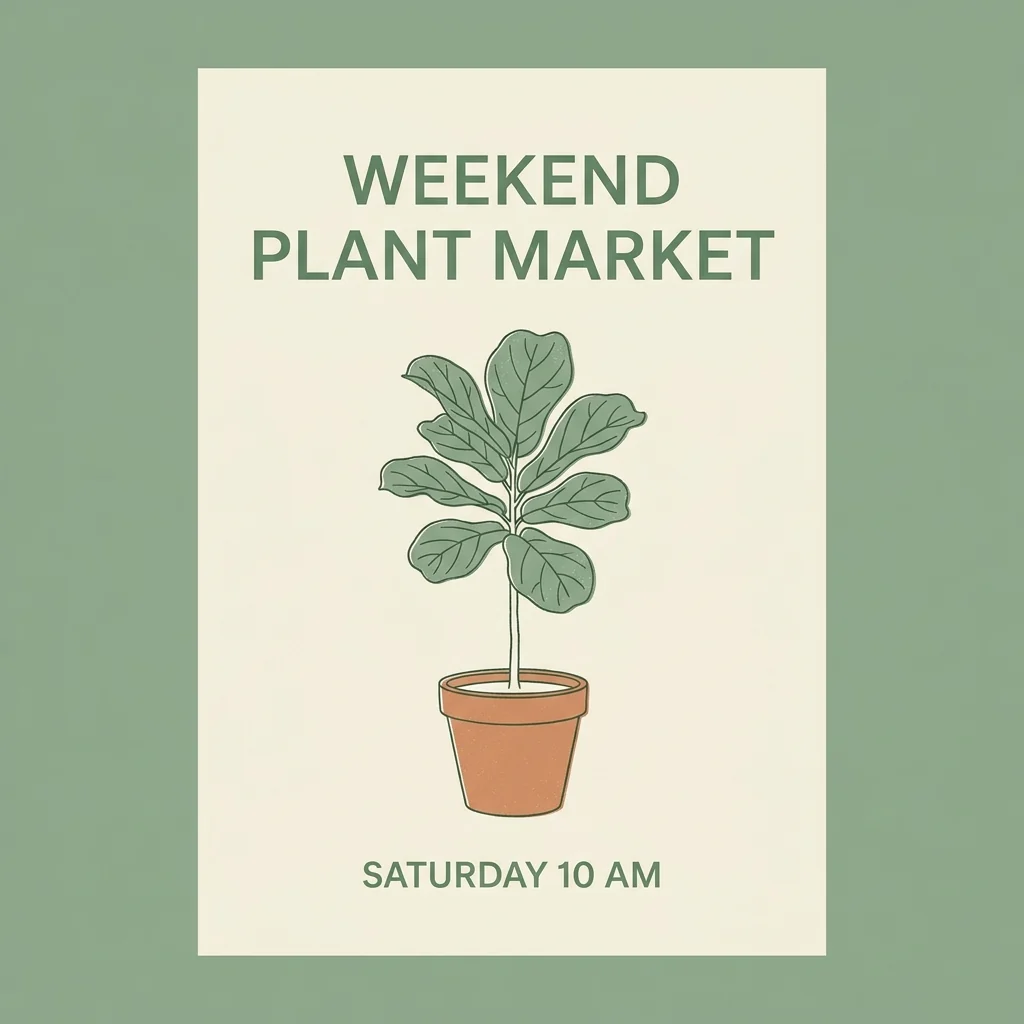
You do not need layers or a matching font. Tell the model exactly which words to replace and what must stay the same.
Open the generator, manually select GPT image 2 and upload a JPEG, PNG or WebP image up to 30 MB that you have the rights to edit. Text that is sharp and facing the camera gives the model a clearer starting point.
Write one instruction such as: Change "SATURDAY 10 AM" to "SUNDAY 9 AM". Then name what must not change, such as the colors, layout and illustration, and ask the model to match the original lettering style.
Sign in, check the displayed quote of 15 credits and generate. Zoom in on every letter and compare the result with your original. A retry is another request.
These are untested prompt suggestions, not verified edits. Every name and wording below is invented; replace it with the text in your own image.
Change the line "SATURDAY 10 AM" to "SUNDAY 9 AM". Keep the headline "WEEKEND PLANT MARKET", the plant illustration, the colors and the layout exactly as they are, and match the original green sans-serif lettering.
On this menu, correct the misspelled dish name "Lemon Tarte" to "Lemon Tart". Change nothing else: keep the other dish names, the prices, the fonts and the spacing as they are.
Translate the flyer headline "Spring Book Sale" into Spanish as "Venta de Libros de Primavera". Keep the same position, size, color and font style, and leave the illustration and all other text unchanged.
Replace the top caption with "WHEN THE BUILD PASSES ON THE FIRST TRY" in white bold capitals with a black outline, in the same position and size. Keep the picture underneath unchanged.
On this photo of my own product, change the label word "Vanilla" to "Coconut". Keep the bottle shape, label colors, lighting and background unchanged.
The model generates a new image with your words instead of editing a text layer, so check the whole picture, not only the line you changed.
New lettering can differ from the original in weight, spacing or letter shapes. When exact typography matters, rebuild the text in a layout editor instead.
Colors, small print, faces, logos and edges near the edited area can change. Compare the result side by side with your original and keep the original file.
Replace a few words per request rather than whole paragraphs. Edit one line at a time so each change is easy to proofread.
Plan background, style and text edits from a reference image.
Create a new poster image when there is no file to edit.
Draft a menu design image from a short brief.
Lay out an event or shop announcement flyer image.
Erase captions, date stamps or stickers instead of rewriting.
Replace the background of a photo you have rights to edit.
Turn one funny idea and your caption into an original meme.
Review GPT image 2, the model used for these edit quotes.
Check credit options before submitting an edit.
Read the terms for uploaded and generated images.
Yes. Upload the image, quote the old words and the new words in one sentence, and the model redraws the image with the change. You do not need layers or the original font; preview the result before you use it.
No. An exact match is not guaranteed. The model imitates the lettering it sees, but weight, spacing and letter shapes can differ; rebuild the text in a layout editor when exact typography matters.
Yes. Quote the original words and write the exact translation you want. Proofread every character yourself; the model can misspell words and does not check whether a translation is correct.
Yes. The whole image is redrawn, so colors, small print, faces or logos near the edit can shift. Name what must stay unchanged and compare the result with your original.
No. Each edit with GPT image 2 costs 15 credits. Sign in and check your balance and the displayed quote before submitting; a retry is another request.
No. Do not use it to forge documents or proof of any kind, or to pass yourself off as another person or business. Edit only images you own or have permission to change.
No. The button opens the existing image generator and does not prefill a prompt, select a model, upload an image or submit a job. Set up the edit yourself and check the quote before generating.