Same prompt
Test each model with one clear creative brief.
Compare AI image models with the same prompt and reference. Browse static examples free. Live runs need Pro or above, or applicable Unlimited access; check your credit estimate before submitting.
Test each model with one clear creative brief.
Review outputs together instead of switching tabs.
Compare credits, generation time, and fit before you continue.
View these static image examples for free. Live runs require eligible access: Pro or above, or applicable Unlimited coverage. Check the credit estimate for your account before submitting. Generation dates, exact model versions and full settings were not recorded for these samples; use them as visual references, not a controlled benchmark.
Recorded costs follow the reference-guided (image-to-image) price in the current platform configuration; text-to-image costs less on some models (Nano Banana Pro: 20 credits at 1K or 2K), and higher resolutions raise the price on Nano Banana 2 and GPT Image 2.5.
A reference-guided sketch becomes a polished studio product image.
Render the sketch as a production-ready coffee maker with glossy white molded plastic, polished oak, and stainless steel details.
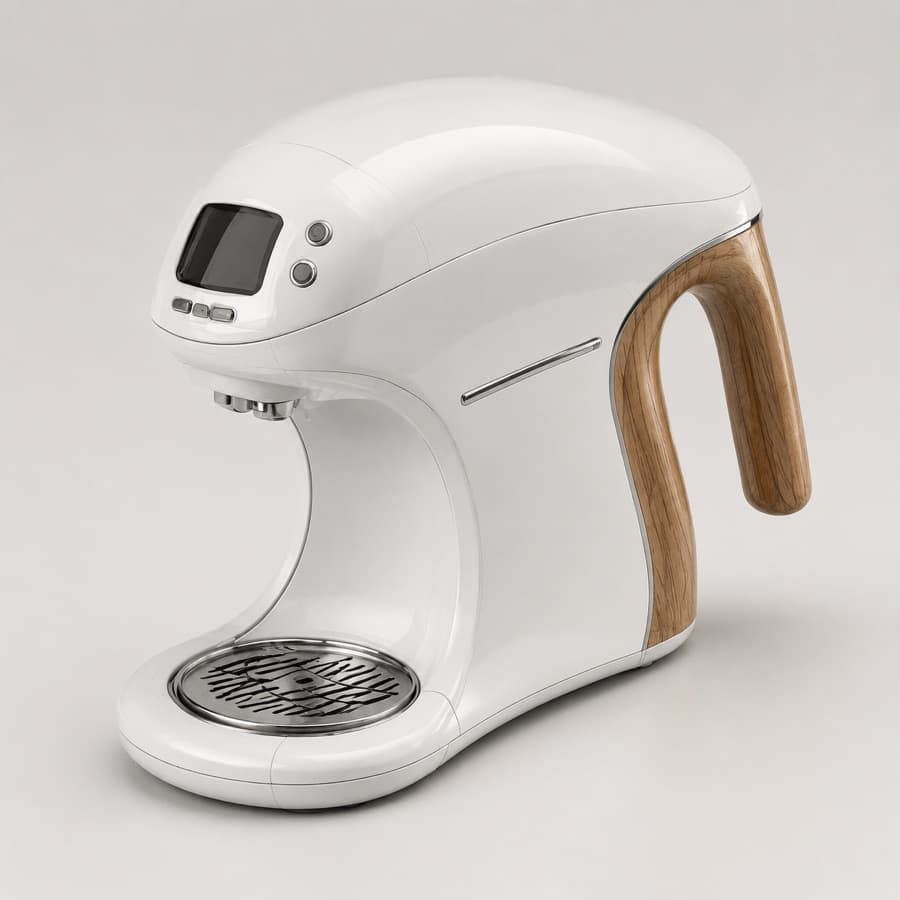
Sharper material detail and strong studio-light product polish.
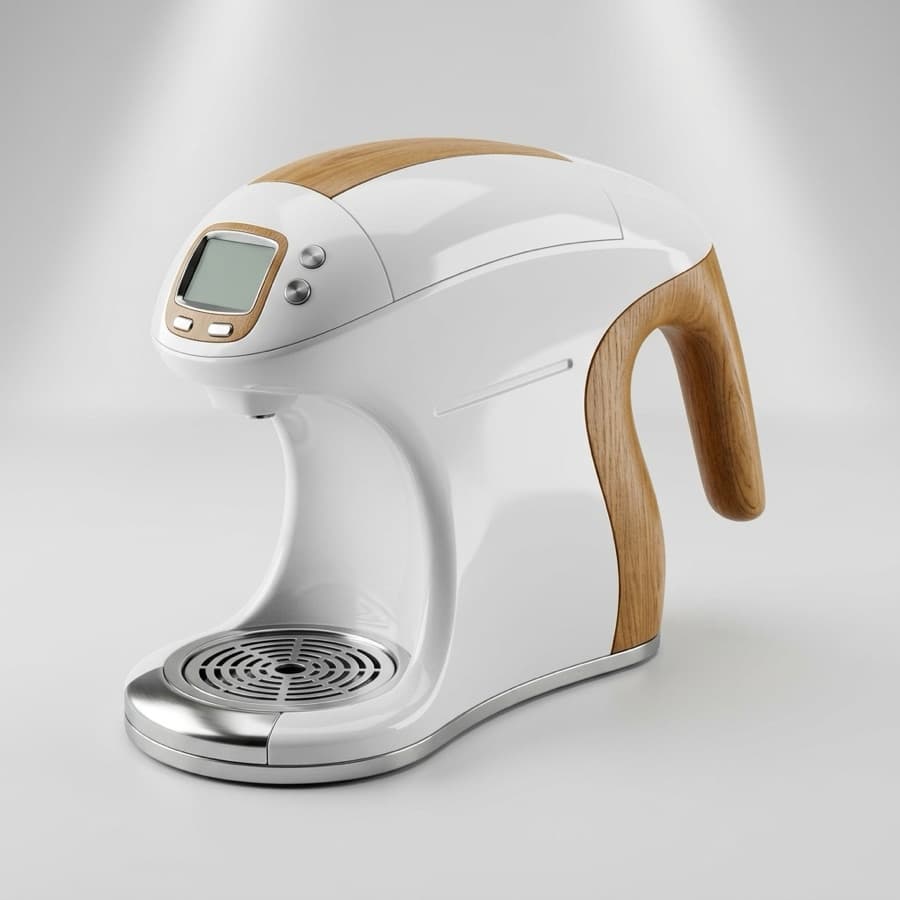
Clean ecommerce-style result with clear structure and contrast.
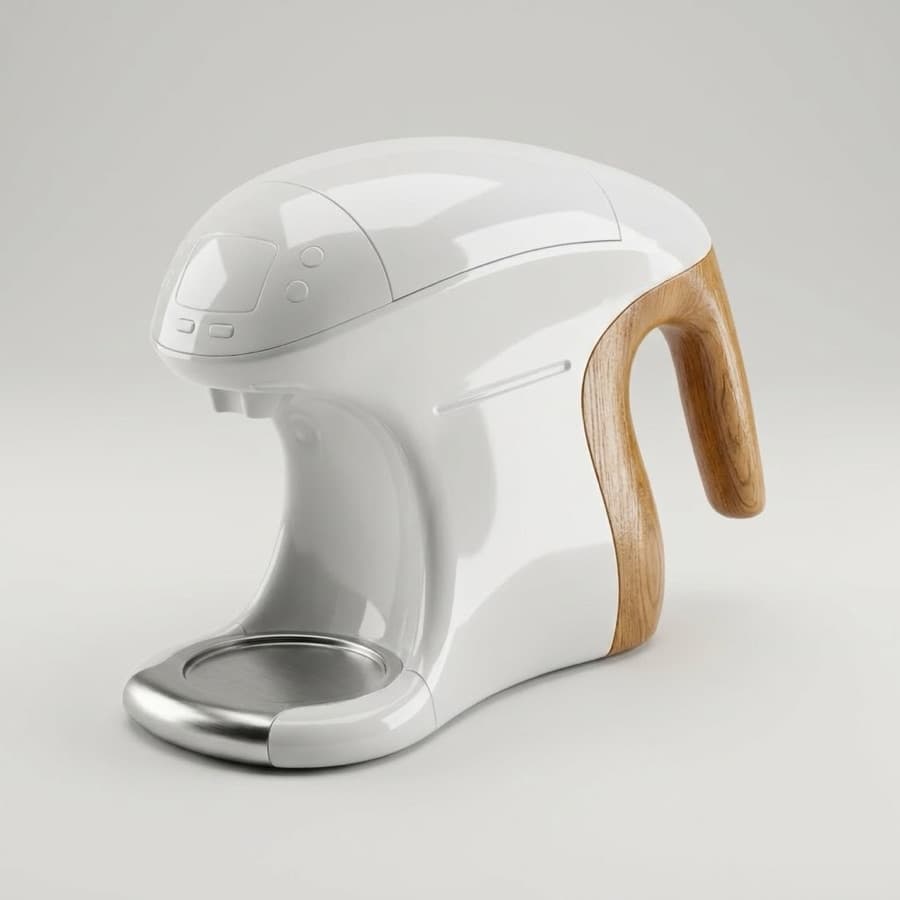
Softer concept render with a simpler, more minimal finish.
The same edit request produces different levels of realism, color handling, and layout preservation.
Change the orange circle to banana yellow and make the image feel realistic while preserving the main composition.
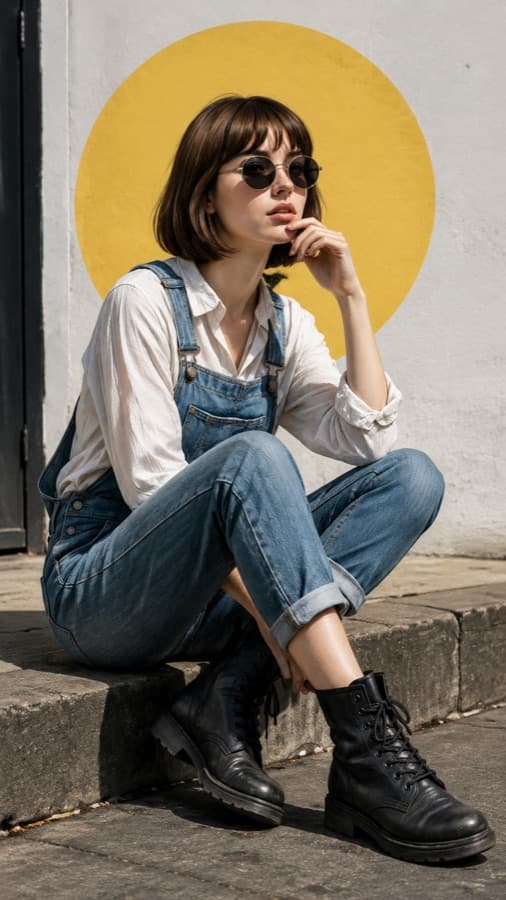
Strong fashion editorial look with clear color replacement.
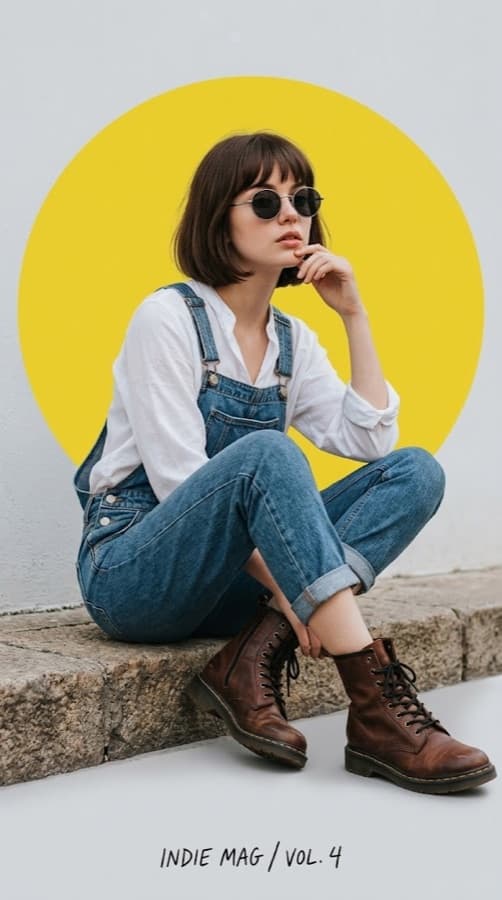
Keeps the figure readable while pushing the scene more realistic.
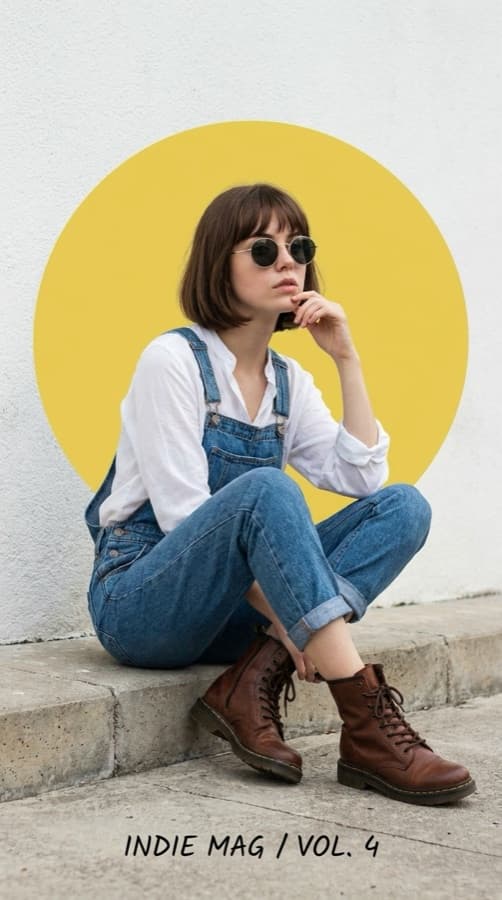
More polished portrait texture and a brighter yellow focal shape.
Use the same prompt and references across every model, then pick the output with the right detail, style, and production value.
Use each model for a different strength, then continue from the output that best matches your brief.
Model Compare is available for Pro subscribers and above.
After results appear, choose the closest match or retry individual failed models.
Waiting to run
17 credits
Waiting to run
10 credits
Waiting to run
Different image models interpret the same prompt differently. A quick comparison helps you find the strongest direction before committing more credits.
See which model understands the brief before you keep iterating.
Judge style, detail, and prompt following from the same starting point.
Move the winning image into refinement or video instead of starting over.
Compare the creative result and the credit cost in one workflow.
Use the same prompt to evaluate the parts that actually decide whether an output is usable.
Does the model follow the subject, layout, and constraints?
Check detail, composition, lighting, and overall polish.
Look for readable copy on posters, packaging, and UI mockups.
Compare faces, products, character details, and reference fidelity.
See which result is ready fastest for high-iteration work.
Balance output quality with the credits required for each model.
The best AI image generator depends on the asset you need, not a generic leaderboard position.
For the product example above, inspect GPT Image 2 for material detail, Nano Banana 2 for a clean ecommerce composition, and Nano Banana Pro for a softer concept render. Test your own product before choosing; this is not a general model ranking.
For a thumbnail or campaign, compare subject separation and space for your final title. Start with a 16:9 thumbnail background, then add and proofread typography in your editor.
Look for face consistency, hands, pose control, wardrobe details, and believable lighting.
Use the comparison to catch weak typography, misspellings, and instruction drift early.
Compare atmosphere, shape language, and how strongly each model pushes the creative direction.
The page keeps the comparison simple: one brief, three outputs, then the next action from the best result.
Write the image brief once, with subject, style, text, layout, and required details.
Upload reference images when product shape, character identity, or source style matters.
Generate side-by-side results while keeping cost and status visible.
Pick the closest match, refine it, retry one model, or turn the image into video.
Short answers for creators comparing AI image generators with the same prompt.
The same prompt gives every model the same creative brief, so differences in quality, style, text rendering, and instruction following are easier to judge.
No. It shows side-by-side outputs, cost, and status so you can choose the result that best fits your specific brief.
Yes. You can add references when identity, product structure, or source style needs to stay consistent across the comparison.
Yes. After results are ready, you can refine the selected image, retry one model, or continue into image-to-video workflows.
Compare three models before you spend more credits on the next version.