1. Choose an authorized photo
Use an evenly lit photo with a visible face or pet. Avoid obscured features and busy backgrounds. The selected model accepts a reference up to 8 MB. Get consent before using another person’s portrait.
To make AI Christmas photos from your own pictures, upload an authorized photo of yourself, your family or your pet and describe the Christmas scene you want the subject placed in. In the existing image tool, select Nano Banana Pro: reference editing costs 40 credits at 1K. Describe a tree-lit room, snowy garden or festive pet portrait, and ask to preserve the subject. This guide provides prompts and manual setup; it does not guarantee an exact likeness.
Upload only photos you have the rights to edit, with consent from anyone pictured. This independent service is not affiliated with or endorsed by Google. Use original decorations and authorized subjects; the result is a digital image, with no printing, mailing or bulk delivery service.
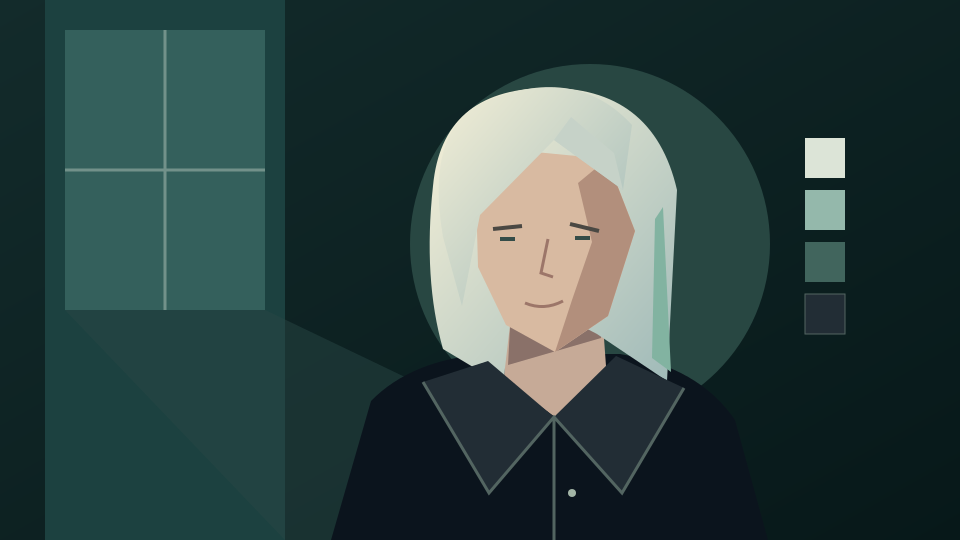
A clear source photo helps you compare the edit. State the Christmas setting and lighting, then name the facial features, clothing or pet markings you want to keep.
Use an evenly lit photo with a visible face or pet. Avoid obscured features and busy backgrounds. The selected model accepts a reference up to 8 MB. Get consent before using another person’s portrait.
Open the image generator, select Nano Banana Pro, upload your photo and paste a prompt below. The link does not select a model or prefill a prompt. Describe the background, light direction and what should stay unchanged.
Sign in, check your balance and the displayed quote, then submit when ready. Reference editing costs 40 credits at 1K. Compare the face, hands or pet markings with the original before downloading; another attempt is a new request.
Copy a prompt into the generator and adapt it to your subject. These are suggested instructions, not tested outputs. Exact preservation of faces, fur and clothing is not guaranteed, especially in group photos.
Use my authorized adult portrait as reference. Place me in a cozy living room with an original decorated Christmas tree, warm string lights and softly wrapped gifts. Match the light direction to my face. Preserve my facial features, expression, skin tone, clothing and pose as closely as possible. No face retouching, logos or recognizable fictional characters.
Use my pet photo as reference. Place the pet beside a small Christmas tree in a calm room with warm lights and a simple red blanket. Preserve the animal’s fur markings, eye color, body proportions and expression as closely as possible. Keep the face unobstructed and avoid costumes, extra limbs, text or logos.
Use our authorized family photo as reference; everyone pictured has agreed to the edit. Place the whole family together in front of an original decorated Christmas tree in a warm living room with soft string lights and simple wrapped gifts. Keep every person from the photo and preserve each face, expression, skin tone, hairstyle, clothing and relative height as closely as possible. Do not add or remove people. No face retouching, text, logos or recognizable fictional characters.
Use our authorized couple photo as reference; both of us have agreed to the edit. Place us side by side beside an original Christmas tree under warm string lights, with soft window light from one side. Preserve both faces, expressions, skin tones, hairstyles, clothing and the way we stand together as closely as possible. Keep hands natural with the correct number of fingers. No text, logos or recognizable fictional characters.
Use my authorized adult portrait as reference. Place me outdoors in a quiet snowy evergreen forest in late afternoon, with light snowfall and soft daylight that matches the direction of the light on my face. Keep my clothing from the photo. Preserve my facial features, expression, skin tone, hairstyle and pose as closely as possible. No face retouching, logos or recognizable fictional characters.
Create an original Christmas photograph-style image of a quiet snowy cottage garden at dusk, with warm window light, a simple evergreen wreath and a softly glowing tree. Use natural textures and a calm composition. No people, text, brand logos or recognizable fictional characters. This is a new scene without a reference photo.
A generated Christmas scene is a creative edit. Review it carefully and describe it as edited when sharing; do not present it as proof of an event that happened.
Compare eyes, teeth, hands, ears and fur markings with the source. Watch for duplicated ornaments, distorted limbs and incorrect shadows. Reject a result that changes details you wanted to preserve.
Return to the original reference and explain the detail to change, such as softer lights or a simpler background. Check the quote before submitting again. A new prompt cannot guarantee identical identity or composition.
For a downloadable greeting image with short holiday wording, use the Christmas card guide. Proofread the generated lettering and names before sharing; correct precise typography in an editor if needed.
Plan month illustrations and photo-calendar cover images.
Explore festive knit-look pattern images with names or pets.
Create original fantasy scenes and characters from text or a reference.
Style an authorized family group photo as a digital portrait.
Create a greeting image with short holiday wording and an optional photo.
Plan wide seasonal artwork for a website or social placement.
Use the existing seasonal promotion workflow for a campaign poster.
Start from a seasonal composition prompt for your own product.
Explore an existing product poster prompt and layout.
Review available plans before submitting a request.
Read the terms for uploads and generated content.
Yes. Select Nano Banana Pro, upload an authorized photo and describe the setting. Ask to preserve your face, expression and clothing, then compare the result with the original before downloading.
Yes. Upload your pet photo and describe the scene, lighting and decorations. Ask to preserve its markings and proportions; check eyes, ears, paws and fur carefully because exact preservation is not guaranteed.
Upload a clear, authorized family photo in which every face is visible and everyone pictured agrees to the edit. Paste the family prompt above, ask to keep every person and preserve each face and outfit, then compare each family member with the original before downloading. A reference edit costs 40 credits at 1K; exact likeness for every person is not guaranteed.
Yes. Choose text-to-image with Nano Banana Pro and describe an original scene. Text generation costs 20 credits at 1K; it creates a new image rather than preserving a specific person or pet.
No. This guide does not promise free generation. With Nano Banana Pro, a reference edit costs 40 credits at 1K and a text-only image costs 20 credits at 1K. Sign in and check the current quote before submitting.
No. Exact likeness is not guaranteed. Use a clear reference, specify what should stay unchanged, and reject edits that alter facial features, skin tone or expression.
No. The button opens the existing image generator and does not prefill a prompt, select a model or submit a request. Upload your photo and configure the edit there; download the image after reviewing a successful result.