An AI fantasy art generator turns a written scene or authorized reference into fantasy-style digital artwork. Use GPT image 2 in the existing image tool for 10 credits from text or 15 credits per reference edit. Describe a dragon, magical landscape or fictional adventurer, then specify composition, light and materials. This guide offers manual prompts for original illustrations rather than a fixed fantasy preset or a guaranteed character design.
Use original characters and only reference images you are authorized to upload and edit, with consent from anyone pictured. Avoid celebrity likenesses, existing franchise characters and requests to copy a living artist’s signature style. This independent website is not affiliated with or endorsed by model vendors. The output is a digital image, not a game asset package or a physical print.
Write an original scene or upload an authorized reference
10 credits from text; 15 credits per edit with GPT image 2
Describe dragons, magical settings and fictional characters in words
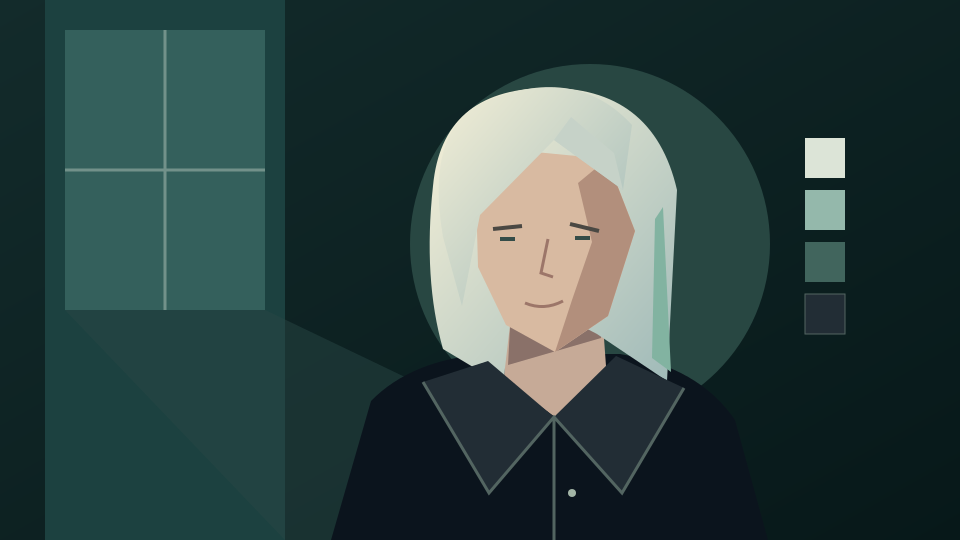
Existing site illustration of an invented character, used to discuss palette and silhouette. This is not fantasy artwork generated by these prompts; the examples below are untested suggestions.
How to generate fantasy art
Build the scene around a clear subject
Decide whether you need a creature concept, an environment or a character portrait. Describe what should be visible and where it belongs in the frame before adding atmosphere and surface details.
1. Write a scene or prepare a reference
For text generation, describe an original subject, action and setting. For reference editing, use your own sketch, landscape or an authorized portrait in JPEG, PNG or WebP up to 30 MB. State which shapes or features should remain recognizable.
2. Choose visual details and the model
Open the image generator, select GPT image 2 and paste your prompt. Add the authorized reference if needed. Describe scale, camera position, lighting, palette and materials such as stone, glass or worn cloth. Use visual descriptors instead of a living artist’s name.
3. Review the quote and inspect the artwork
Sign in and check the displayed quote: 10 credits from text or 15 credits for a reference edit. Inspect anatomy, silhouettes, perspective and unwanted symbols before downloading. Revise the prompt for another request; exact details and recurring character consistency are not guaranteed.
Fantasy art prompt examples
Describe creatures, magic and character roles
These are untested prompt suggestions for original artwork, not verified outputs. Adapt the visible details to your idea; no example uses a celebrity, a franchise character or a living artist’s signature style.
Dragon above a mountain pass
Create an original fantasy illustration of a copper-scaled dragon resting above a narrow mountain pass. Show a readable wing silhouette, weathered rock and distant cloud layers. Use a low viewpoint to suggest scale, cool dawn light with warm highlights on the scales, and textured digital brushwork. Keep the anatomy coherent. No recognizable franchise features, text or signature.
A magical archive in the forest
Illustrate an original magical archive built into a hollow ancient tree, with curved wooden walkways, glowing glass lamps and shelves visible through open arches. A stream guides the eye toward the entrance. Use soft green shadows, amber light and translucent watercolor-like washes. Keep the architecture readable and the magic subtle. No people, logos, written runes or signature.
An original fantasy character from a reference
Use my authorized adult portrait or original character sketch as reference for an imagined wandering mapmaker. Add a weathered cloak, an unmarked satchel and a brass compass beside a misty coastal path. Retain the reference’s main face shape and expression as closely as possible. Use soft painted edges and muted blue and ochre colors. No celebrity resemblance, franchise costumes, text or signature.
Before using fantasy artwork
Check the details and choose the next workflow
A fantasy illustration can help explore a story setting or character idea. It still needs review before you share it or use it as a design reference for another project.
Check creature and character anatomy
Inspect wings, claws, fingers, clothing and overlapping objects. Check how light falls on the main subject and whether paths and buildings agree on perspective. Ask for a simpler composition if small details become hard to read.
Keep identities and ideas original
Use your own references and obtain permission for any person pictured. Describe media, brushwork and colors instead of requesting a living artist’s signature style. Avoid borrowing distinctive costumes, insignia or creature designs from an existing franchise.
Finish production work separately
This workflow outputs a digital image. It does not deliver a rigged character, layered illustration file, playable game asset or printed product. Prepare lettering, layout and any production-ready assets separately after checking the downloaded image.
Yes. Use GPT image 2 and describe an original subject, setting, composition and lighting. You can request dragons, magical environments and fictional adventurers without a reference image.
Can I use a photo or sketch as a fantasy art reference?
Yes. Upload an authorized JPEG, PNG or WebP reference up to 30 MB. Describe the fantasy treatment and the features to retain, then check the result against your original.
Can I choose a painting medium without naming an artist?
Yes. Describe watercolor washes, textured digital brushwork, muted colors or hard-edged shapes. These prompt directions avoid copying a living artist’s signature style and are not guaranteed presets.
Will a reference preserve my character exactly?
No. A reference can guide the request, but faces, costumes, anatomy and props can change. Review each result; identical characters across separate requests are not guaranteed.
Does this create a playable game character or physical print?
No. It creates a digital image. Rigging, animation, layered source files, game integration and physical printing require separate tools or services.
Is fantasy art generation free?
No. This guide does not promise free generation. With GPT image 2, text generation costs 10 credits and reference editing costs 15 credits. Sign in and check your balance and quote before each request.
Does the button automatically set up my fantasy prompt?
No. It opens the existing image generator and does not prefill a prompt, select a model, upload a reference or submit a job. Copy an example and configure the request manually.