1. Prepare your own selfie
Choose a clear photo of yourself without heavy filters, sunglasses or other people. GPT image 2 accepts JPEG, PNG and WebP references up to 30 MB. Do not upload someone else’s portrait.
An AI headshot generator turns your own selfie into a professional-style portrait image with formal clothing and a clean background. Use GPT image 2 in the existing image tool for 15 credits per photo edit. Describe a head-and-shoulders composition for LinkedIn, a resume or a company biography, then review the result before using it. This guide provides manual prompts rather than an automatic headshot service.
Upload only your own photo and confirm your rights to use it. This independent website is not affiliated with or endorsed by model vendors. Generated headshot-style images do not guarantee exact likeness, studio-quality photography or acceptance by a particular employer or platform.
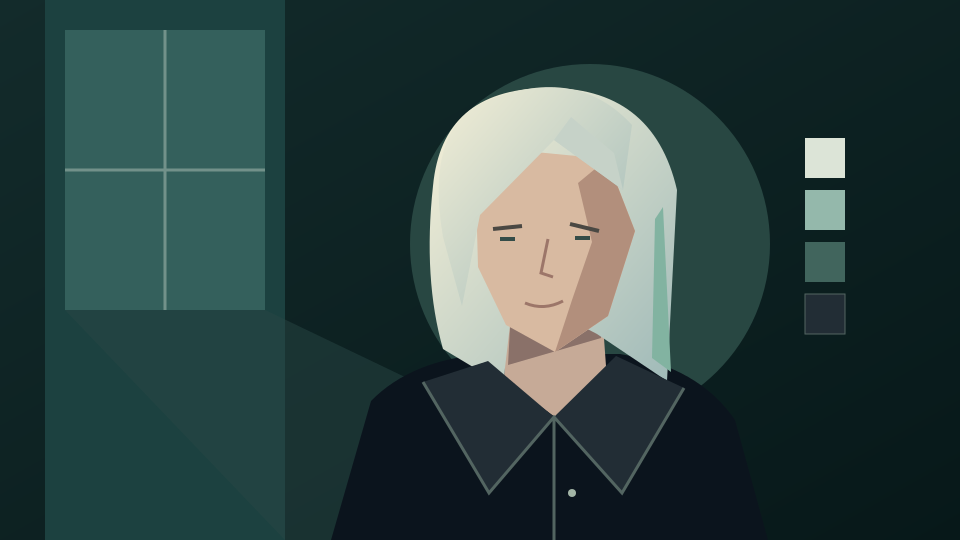
Use an evenly lit photo with your face unobstructed. State the clothing, background and framing you want while asking to retain your current facial features.
Choose a clear photo of yourself without heavy filters, sunglasses or other people. GPT image 2 accepts JPEG, PNG and WebP references up to 30 MB. Do not upload someone else’s portrait.
Open the image generator, select GPT image 2, upload your selfie and paste a prompt. Request formal clothing and a plain background. Choose the supported 1:1 ratio for a square headshot with room around your head and shoulders; crop for the destination separately.
Sign in and check the displayed quote before submitting: 15 credits for a reference edit with this model. Compare facial proportions, skin tone, eyes and clothing edges with your selfie. Download only a result you are comfortable presenting as your profile image.
These prompts are untested starting points. Identity preservation is an instruction to the model, not a guarantee. Adapt the clothes and background to your own workplace.
Edit my own uploaded selfie into a professional-style head-and-shoulders portrait for LinkedIn. Use a navy blazer over a simple light shirt, a clean light-gray background and soft even lighting. Keep my facial features, skin tone, age and hairstyle as close to the source as possible. Center me with room for a profile crop. No text, logos or decorative props.
Use my selfie as a reference for a restrained career portrait with a charcoal jacket, plain shirt and neutral off-white background. Retain my expression and facial proportions as closely as possible. Show the head and upper shoulders with natural-looking lighting and minimal retouching. Avoid invented accessories and dramatic effects.
Create a professional-style team biography portrait from my own selfie. Use a simple dark jacket, uncluttered warm-gray background and soft daylight. Keep my current hairstyle, glasses and visible facial details as close to the reference as possible. Leave consistent margin around the head and shoulders for a company website crop. No company logos or lettering.
A professional-looking image still needs your judgment. Compare it with your real appearance and check whether the place you plan to use it permits edited portraits.
Look for changed eye shape, facial proportions, skin texture, teeth or glasses. Reject misleading changes. A generated image cannot authenticate your identity or replace an official document photograph.
Preview the crop on LinkedIn or your company site. Include a photo on a resume only where appropriate for the role and destination. This tool does not verify an employer’s photo rules or guarantee acceptance.
Keep clothing and backgrounds restrained for a career portrait. For illustrated characters, colorful avatars and circular social profile concepts, use the linked social profile picture guide instead.
Create an oil, black-and-white or studio-lit portrait of one person.
Explore illustrated social avatars rather than formal career portraits.
Review GPT image 2, used for the workflow and quote in this guide.
Check credit options before submitting an edit.
Review the terms for uploads and generated images.
Yes. Upload your own selfie in GPT image 2 and describe formal attire, a clean background and head-and-shoulders framing. Review the result against your actual appearance before using it.
No. Facial details can change, and studio-quality results are not guaranteed. Ask to retain your features and reject images that misrepresent your appearance.
Yes. You can explore portrait images for those uses, then check the destination’s rules and crop requirements. Acceptance is not guaranteed, and official ID compliance is not provided.
No. This guide does not promise free generation. A photo edit with GPT image 2 costs 15 credits. Sign in and check your balance and the displayed quote before submitting; each retry is another request.
No. The link does not prefill a prompt, select a model, upload your photo or submit a job. It opens the existing image generator for manual setup.
No. For this workflow, upload only your own photo. Ask colleagues to prepare their own portraits rather than submitting their faces on their behalf.