An AI profile picture generator turns an authorized selfie or written character description into a social avatar. Use GPT image 2 in the existing image tool: text generation costs 10 credits and a photo edit costs 15 credits. Choose a 1:1 square composition, describe a style and leave room around the face for a circular profile crop. This guide provides manual prompts, not a dedicated automatic avatar editor.
Upload only images you have the rights to edit, with consent from anyone pictured. This independent website is not affiliated with or endorsed by model vendors. Social avatar artwork is not an official ID photo or a promise of a job-application headshot.
A selfie for a reference edit, or text for an original character
10 credits from text; 15 credits with a photo using GPT image 2
Square framing with space for a manual profile crop
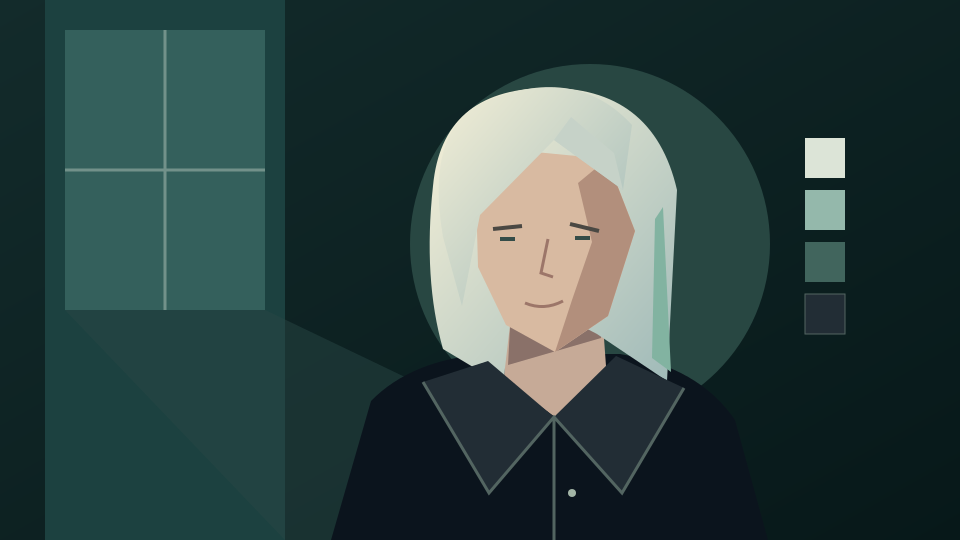
Existing abstract portrait illustration from this site, not a generated avatar or a before-and-after example. The prompts below are untested suggestions for your own authorized image.
How to make a profile picture
From selfie or text to a social avatar
Use a selfie when the avatar should resemble you. Use text alone for an original fictional character. Keep the face readable at small sizes and avoid busy backgrounds.
1. Choose your input
Use an authorized selfie with clear facial features and even light, or describe an original character without a photo. The GPT image 2 reference limit is 30 MB for JPEG, PNG or WebP files. Do not upload someone else’s portrait without consent.
2. Set the style and square framing
Open the generator, select GPT image 2, upload your selfie if using one and paste a prompt. Choose the supported 1:1 aspect ratio. Ask for a centered face with extra margin around hair and shoulders; the link does not set these controls for you.
3. Review and crop for your profile
Sign in and check the quote: 10 credits for text or 15 credits for a photo edit with this model. Inspect facial features, eyes and edges before downloading. Preview a circular crop in your profile app or an editor; square output does not guarantee a perfect platform crop.
Profile picture prompt examples
Try a style while keeping the face readable
Copy a prompt into the image tool and adapt it. These are untested instructions, not verified output examples. For a selfie edit, preserving your identity is a request rather than a guarantee.
Soft illustrated selfie
Turn my authorized selfie into a soft hand-painted social avatar with warm colors and a simple pale background. Keep my facial features, expression, skin tone and hairstyle as close to the source as possible. Center the face in a square composition with empty space around the head for a circular crop. No text or logos.
Graphic portrait avatar
Use my uploaded selfie as a reference for a bold graphic social profile picture with clean shapes, restrained shading and a muted teal background. Preserve recognizable facial features and my current hairstyle and clothing. Keep the eyes clear, the head centered and the shoulders inside a square frame. Leave generous crop margins; no lettering.
Original character from text
Create an original illustrated avatar of a friendly adult explorer with curly brown hair, round glasses and a mustard scarf. Use a simple ink-and-watercolor style on a plain cream background. Show head and shoulders in a centered square composition with space around the hair for a circular crop. No resemblance to celebrities, existing characters or brand mascots.
Before using the avatar
Check identity and the final crop
A small social profile image has different requirements from an identity document or formal hiring portrait. Review the actual destination before publishing.
Compare your likeness
Check eyes, skin tone, glasses and facial proportions against your selfie. Reject changes you did not request. Do not present an invented character or someone else’s edited face as a real person.
Test the circular crop
Preview the square image in your social app. Keep the face, hair and accessories inside its crop and check readability at icon size. Crop manually in the app or an editor; this guide does not provide a crop control.
Keep styling tasks separate
For haircut experiments or clothing changes, use the linked hairstyle or outfit guide. This page focuses on social avatar art and framing, without promising compliant ID photos or formal job-application results.
Yes. Select GPT image 2, upload a selfie you have permission to edit and describe the avatar style. Ask to preserve facial features, then review the result; exact likeness is not guaranteed.
Can I create an avatar without uploading a photo?
Yes. Describe an original character, art style, palette and background. Text alone creates an imagined character rather than an authenticated likeness of you.
Can I make a square avatar for a circular profile crop?
Yes. Choose the supported 1:1 ratio and ask for crop margins around the face. Apply and preview the circular crop yourself in the destination app or an editor.
Is this suitable for official ID or formal job applications?
No. This workflow explores social avatar art. It does not promise compliant ID photos, accurate identity preservation or professional hiring-headshot results; check the destination’s requirements.
Is generation free?
No. This guide does not promise free generation. With GPT image 2, text generation costs 10 credits and a photo edit costs 15 credits. Sign in and check your balance and the displayed quote before submitting. Each retry is another request.
Does this page automatically generate an image?
No. The link does not prefill a prompt, select a model, upload a reference or submit a job. It opens the existing image generator; set up the image manually and check the quote before submitting.