An AI makeup generator previews a makeup look by editing your own photo from a written instruction while asking to keep your face, hair and background unchanged. Use GPT image 2 in the existing image tool for 15 credits per photo edit. Try an everyday, evening, bridal or Halloween look before deciding what to ask a makeup artist for. The result is an image preview, not a guarantee of how real products will look on you.
Upload only photos you have the rights to edit, with consent from anyone pictured. This independent website is not affiliated with or endorsed by model vendors or cosmetics brands. A generated makeup preview is an image edit; it does not identify products, match shades or replace advice from a makeup artist or skin professional.
Your own authorized photo plus a written makeup instruction
15 credits per photo edit using GPT image 2
Everyday, evening, bridal and Halloween looks as previews
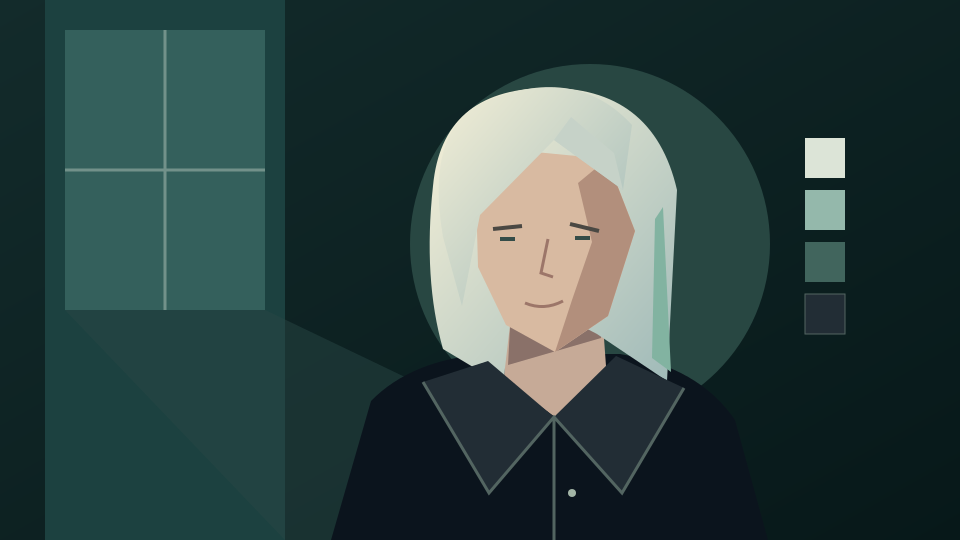
Existing site illustration, not a generated makeup preview or a before-and-after example. Use your own photo in the image generator to try a prompt.
How to try makeup on your photo
Change the makeup, keep everything else
Use a clear, front-facing photo with even light and no heavy filter. Name the eyes, lips, cheeks and finish you want, then list what must stay the same.
1. Prepare your photo
Choose a photo of yourself, or one you have consent to edit, with the face visible and hair away from the eyes. GPT image 2 accepts JPEG, PNG or WebP references up to 30 MB. Remove filters so the preview starts from your real coloring.
2. Describe the makeup look
Open the generator, select GPT image 2, upload your photo and paste a prompt from below. Describe the eye shadow, liner, lip color and blush, and ask to keep your facial features, skin tone, expression, hair, clothing and background unchanged.
3. Check the quote and the face
Sign in and check the quote: 15 credits per photo edit. Compare the eyes, brows, nose, lips and skin texture with your original before downloading. Each new attempt is another request.
Makeup prompt examples
Try everyday, evening, bridal or Halloween looks
These are untested prompt suggestions, not verified generated previews. Copy one into the generator and adjust colors to suit your photo.
Everyday natural makeup
Edit my authorized photo. Add light everyday makeup only: soft brown mascara, a thin neutral eyeliner, a peach blush and a sheer rose lip balm. Keep my facial features, skin tone and texture, freckles, brows, expression, hair, clothing and background unchanged. Do not smooth my skin or change my face shape.
Evening smoky eye
Use my uploaded photo as the reference. Change only the makeup to an evening look with a charcoal and bronze smoky eye, defined lashes and a deep berry lip. Keep my face, eye shape, skin tone, expression, hairstyle, clothing and lighting the same as the original.
Bridal makeup
Edit my authorized photo with soft bridal makeup: champagne shimmer on the eyelids, fluttery lashes, a gentle rose blush and a satin pink lip. Preserve my facial features, skin texture, expression, hair and background exactly as far as possible. Keep the look elegant and natural.
Halloween face paint
Use my authorized photo as the reference for a playful Halloween look: a white and black skeleton face paint design with clean lines around the eyes, nose and mouth. Keep my face shape, expression, hair, clothing and background unchanged. Make it look like painted makeup, not a mask.
Before acting on the preview
Treat the result as a visual reference
A makeup preview helps you describe a look. It cannot test how a product wears, how a shade matches in daylight or how your skin reacts.
Check that only the makeup changed
Compare the preview with your original photo. Reject a version that alters your face shape, eye size, skin texture or age, and name the unwanted change in your next prompt.
Choose products separately
The preview does not name products, brands or shade numbers. Test real products in person, and ask about ingredients if you have sensitive skin or allergies.
Share the look with a professional
Bring the image to a makeup artist as a mood reference for an event or wedding. They can adapt the colors and techniques to your features and the occasion.
Yes. Upload your authorized photo, describe the makeup look and ask to keep your face unchanged; a GPT image 2 photo edit costs 15 credits.
Does the preview show how real makeup will look on me?
No. It is a generated image edit. Real products, application, lighting and skin can look different, so use the preview as a reference only.
Is my face guaranteed to stay the same?
No. Ask to change only the makeup and preserve your features, then compare the result with your original. Reject and retry if the face, skin texture or age changed.
Can I preview bridal or Halloween makeup?
Yes. Describe the occasion, colors and finish, such as soft champagne bridal makeup or skeleton face paint, and keep the rest of the photo unchanged.
Does it recommend makeup products or shades?
No. It does not identify products, brands or shade matches and is not cosmetic or skin advice. Test real products separately.
Is generation free?
No. This guide does not promise free generation. With GPT image 2, text generation costs 10 credits and a photo edit costs 15 credits. Sign in and check your balance and the displayed quote before submitting. Each retry is another request.
Does this page automatically set up the generator?
No. The button opens the existing image generator and does not prefill a prompt, select a model, upload a photo or submit a job. Set up the request manually and check the quote before generating.